



































Undead Corridor
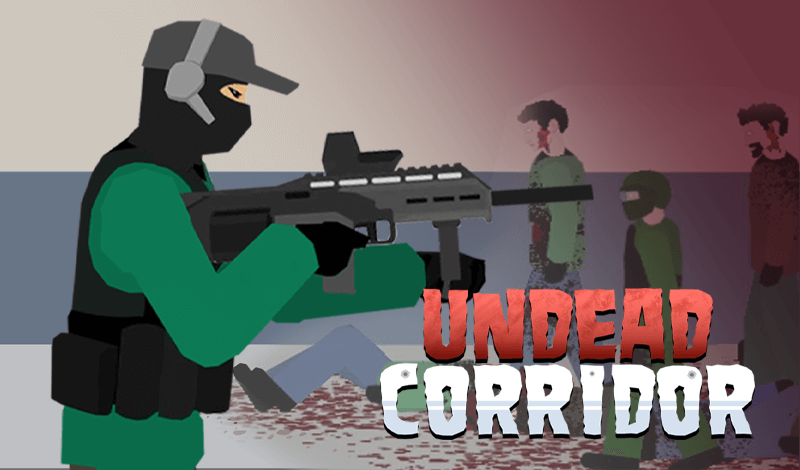
Undead Corridor is a 2D zombie survival shooter that drops you into the tight, claustrophobic spaces where confined-room combat is at its most intense. You're a lone survivor tasked with clearing buildings overrun by the undead — office blocks, hospitals, apartment rooms, city streets — and every corridor is a new threat with less margin for error than the last.
What makes Undead Corridor distinct is how it weaponizes space. These aren't open fields where you can kite zombies from a distance. The corridors and rooms force you into close-quarters decisions: when to fire, when to reload, when to kick to buy yourself a precious second. A single hesitation can let a zombie close the gap, and the moment they reach you, your run is over. That pressure is constant, and it's what drives the game's addictive tension.
The progression system adds meaningful depth beyond survival instinct. In-game currency earned by clearing corridors funds a growing arsenal — more powerful weapons that open up tactical options against tougher zombie variants. Different zombie types introduce new threats as you advance: some are faster, some absorb more damage, and some require you to change how you approach each engagement.
With multiple game modes set across four distinct environments and ragdoll physics that make every kill feel satisfying, Undead Corridor is the kind of compact survival shooter that's easy to pick up but increasingly hard to master as the enemy waves escalate in number and aggression.
Key Details:
- Genre: 2D Zombie Survival Shooter
- Difficulty Level: Hard (Scales with progression)
- Average Play Time: 10–20 minutes per session
- Best For: Players who enjoy intense close-quarters survival shooters with weapon progression and escalating challenge
How to Play Undead Corridor?
Getting Started:
- Select a game mode from the menu — Office is the recommended starting environment for new players.
- Enter the corridor and immediately assess the zombie approach direction and distance.
- Aim and shoot by tapping or clicking — prioritize the nearest zombies first.
- Monitor your ammo count closely and reload during any brief lull in zombie pressure.
- After clearing corridors, use earned currency to purchase stronger weapons before entering the next stage.
Basic Controls:
- Tap / Click — Aim and shoot
- Spacebar — Kick (pushes back close-range zombies)
- R — Reload
- Q — Switch between weapons
Objective: Clear waves of zombies across corridors and rooms without letting any reach and touch you. Earn in-game currency from kills to purchase better weapons, survive through increasingly difficult levels, and push as far through each game mode as possible.
Undead Corridor Features & Highlights
✓ Four distinct game mode environments — Office, Hospital, Rooms, and Street each deliver unique layouts and survival challenges ✓ Multiple zombie types — Faster, tougher, and more aggressive variants keep combat unpredictable and demand adaptive strategies ✓ Weapon shop & upgrade system — Earn currency from kills and invest in a growing roster of more powerful firearms ✓ Ragdoll physics & gore effects — Every kill registers with satisfying, dynamic visual feedback that makes combat feel impactful ✓ Foot kick mechanic — A critical last-resort tool for pushing back zombies that have broken through your shooting range
Undead Corridor Tips & Strategies
Beginner Tips:
- Reload during any gap between waves, not when you're out of ammo mid-engagement. Running dry while a zombie is three feet away is the fastest way to end a run.
- Always aim for the zombies closest to you first — prioritizing distance over proximity is a common beginner mistake that lets fast-movers close in uncontested.
- Use the kick liberally in the early levels to get a feel for its range and timing; knowing exactly when to kick versus when to shoot is a skill that pays off heavily in later stages.
Advanced Strategies:
- Learn which zombie types appear in each game mode environment and build your weapon loadout accordingly — a shotgun handles tight corridor rushes differently than a rapid-fire weapon suited to Hospital rooms with longer lines of sight.
- Time your weapon switches deliberately. Switching to a secondary mid-engagement buys reload time for your primary without creating a defenseless window.
- In later levels with multiple zombie types, eliminate fast-moving variants first even if they're not the closest — a slow, tough zombie is controllable; a fast one that breaks through your firing line is not.
What to Watch Out For:
- Over-relying on the kick — The kick is a lifesaver, but it doesn't eliminate zombies — it only pushes them back. Using it too early wastes the window you could have used to shoot. Reserve it for genuine contact emergencies.
- Tunnel vision on one zombie — When multiple zombies approach simultaneously, fixating on a single target while others close in from the sides ends runs quickly. Sweep your aim across the full threat line, not just the nearest target.
Undead Corridor Elements Explained
Combat & Ammo Management
The survival engine in Undead Corridor is built around a tight relationship between shooting, reloading, and the kick. Ammo is finite and visible — you always know your remaining count — which means every shot carries a decision behind it. Firing too rapidly burns through magazines before new zombies arrive; firing too conservatively lets fast-movers close the gap. The kick exists as a bridge between these two states: when a zombie is close enough to be dangerous but you're mid-reload, a well-timed kick creates the space needed to finish the reload and re-engage. At advanced levels, the kick becomes as strategically important as your primary weapon, particularly when multiple zombies arrive simultaneously from a corridor entrance. Mastering the rhythm of shoot, reload, kick, shoot is the foundational skill of long runs.
Weapon Progression System
Currency earned from kills is spent between stages on new weapons and upgrades, and the quality of your arsenal has a direct impact on how many corridors you can clear. Starting weapons handle early-game zombie volumes adequately, but as tougher and faster variants appear in mid and late levels, underpowered weapons become a liability. The weapon shop offers options with different fire rates, damage outputs, and ammo capacities — and there's genuine trade-off logic in the choices. A high-damage, slow-reload weapon clears tough zombies efficiently but creates vulnerability windows; a fast-firing weapon handles volume but requires more frequent magazine management. Investing in weapon diversity rather than a single high-end firearm gives you options for switching tactics mid-level when a single weapon type isn't getting the job done.
Zombie Variants & Environment Modes
Undead Corridor's four environments — Office, Hospital, Rooms, and Street — aren't just visual skins. Each setting influences zombie spawn patterns, approach angles, and corridor geometry, which changes the tactical requirements for survival. The Hospital's longer room layouts create more shooting distance but also allow fast zombies to build speed before reaching you. The Office's tighter corridors concentrate zombie traffic into narrower approach lanes. Layered on top of environment differences are the zombie variants themselves: standard undead, faster runners, and more durable heavy types each demand different response timing and weapon choices. Learning which variants appear in which environments, and how the layout of each mode affects their threat profile, is what separates players who clear a handful of corridors from those who build long sustained runs.
Undead Corridor Frequently Asked Questions
Q: How do I keep zombies from reaching me? A: Prioritize closest targets first, reload during any quiet interval between waves, and use the kick as a last-resort distance creator. Never let your ammo run out during an active wave — track your count and reload proactively.
Q: What should I do if multiple zombies rush at once? A: Sweep your shots across the group rather than focusing on a single target. If they're too close for sustained shooting, kick the nearest one back, create a brief gap, and fire rapidly to eliminate the group before they recover the distance.
Q: Is Undead Corridor compatible with mobile devices? A: Yes. The tap-to-shoot control system works natively on touchscreens, and the on-screen kick and reload controls are accessible during mobile play. The game runs in modern mobile browsers without additional installation.
Q: Can I save my progress and weapon purchases? A: Weapons purchased with in-game currency and cleared stage progress are saved automatically in your browser. Returning to the game in the same browser retains your arsenal and level progress.
Q: How do I unlock new game mode environments? A: Progress through the game's stages and clear corridors across the available modes. New environments and challenges unlock as you advance through the difficulty tiers — keep earning currency, upgrading your weapons, and pushing through each stage to reveal the next.