
















About Geometry Dash Lite
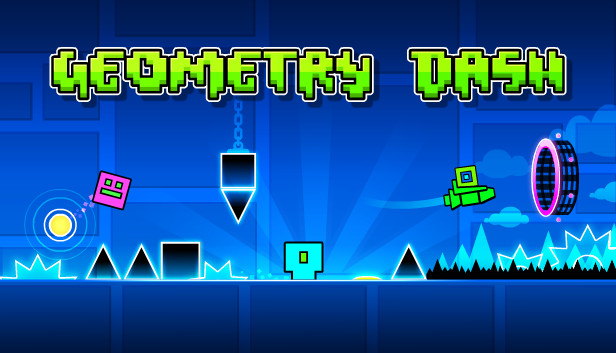
Geometry Dash Lite uses automatic movement through precision obstacle levels. A cube's jump must reach a clear landing, while a portal can introduce a different movement rule. Reading that transition is as important as remembering the obstacle sequence that came before it.
How to Play Geometry Dash Lite
Press Space or click to jump as the cube approaches a spike or gap. Find the landing surface before taking off and check the next obstacle immediately after landing. Practise a short sequence until its timing is repeatable, then connect it to the section after it.
Connect the Landing to the Next Jump
Time the cube's jump to clear the spike or gap and reach a surface from which the next action is possible. A successful first jump is only part of the sequence when another obstacle follows immediately.
Practise a troublesome approach with consistent timing, then adjust one jump point at a time. After a portal changes the form, treat the first movement in the new section as a separate pattern rather than copying the rhythm from before it.
Controls
| Input | Action |
|---|---|
| Space or left mouse click | Jump. |
Practical Tips
- Keep a consistent approach to a difficult jump before changing its timing.
- Relearn the first action after a form transition rather than carrying the previous rhythm across unchanged.