






















About Ball Tower of Hell
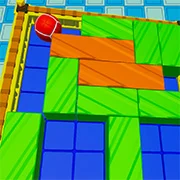
Ball Tower of Hell is a 3D ball-platforming game about reaching a finish flag through a difficult tower route. Rolling, jumping and looking around serve different purposes: a platform may be reachable, yet still be a poor landing if the next section is hidden behind it. Crystals provide an optional reason to explore beyond the direct route.
How to Play Ball Tower of Hell
Move with WASD or the arrow keys and press Space to jump. Use the mouse view control to inspect the route, and Esc to pause. Before crossing a gap, line up on the platform and identify the landing surface. Reach the flag to finish rather than treating the course as an endless score run.
Look Before Climbing Higher
Use the mouse view control to inspect a platform before rolling toward its edge. Identify where the ball can land, then look for the continuation beyond that platform. A successful jump can still leave a difficult next move if the landing is crowded or hidden from view.
Crystals can make a side route tempting. Plan the return to the main path before collecting one, and settle the ball on a stable surface before turning back toward the finish flag.
Controls
| Input | Action |
|---|---|
| WASD / arrow keys | Move. |
| Space | Jump. |
| Mouse view control | Look around. |
| Esc | Pause. |
Practical Tips
- Inspect a blind corner before rolling around its exposed edge.
- Return to a reliable landing line after collecting a crystal instead of carrying the sideways correction into the next jump.